Finance & Business
Android 17 Set to Finally Copy Apple's Most Convenient Feature: Universal Clipboard Coming Soon
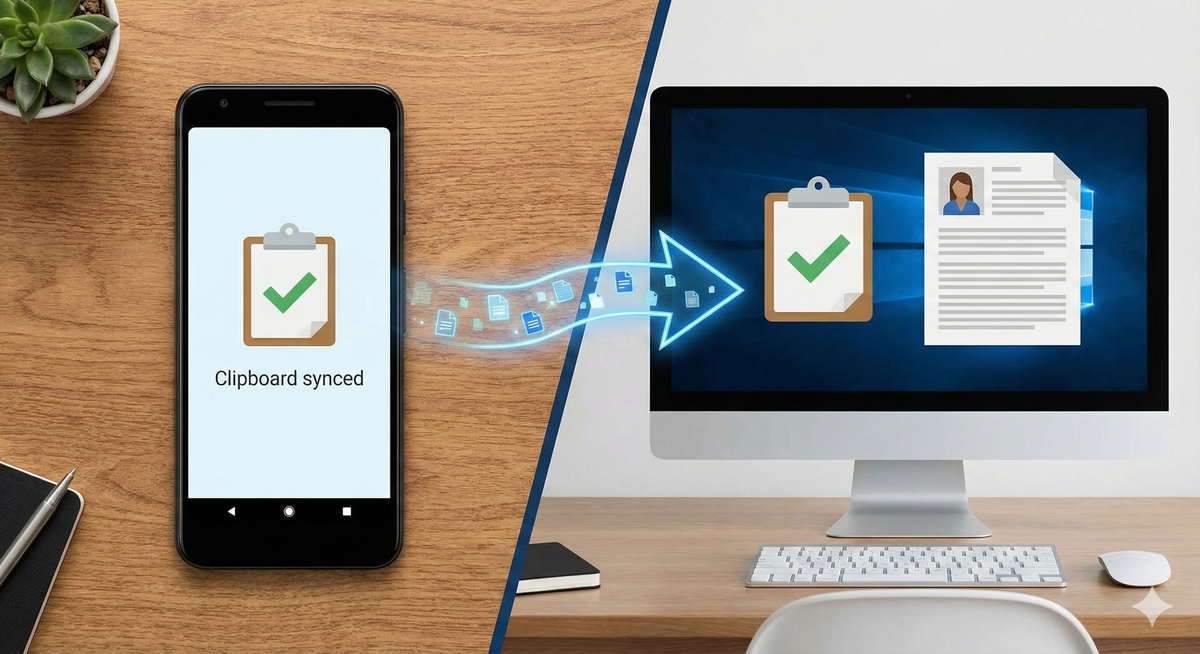
For years, iPhone users have enjoyed one of technology's most satisfying conveniences: copying text on their phone and instantly pasting it on their Mac, or vice versa. This seemingly simple feature, part of Apple's Continuity ecosystem called Universal Clipboard, has been a consistent selling point for staying within the Apple universe. Now, Android users may finally get their turn as code discoveries in Android 17 reveal Google is developing its own native Universal Clipboard functionality.
The Feature Android Users Have Been Waiting For
Recent findings from Android 17 development builds have uncovered references to a new UniversalClipboardManager in the operating system's code. Spotted by Android Authority, these system files sit under the android.companion.datatransfer.continuity namespace—terminology that strongly hints at device-to-device syncing capabilities similar to what Apple has offered since 2016.
The current implementation appears to support text sharing first, with possible expansion to other content types later. While Google hasn't officially announced the feature, the groundwork visible in the system files points to a major cross-device upgrade arriving soon, potentially alongside the Android 17 public release expected in mid-2026.
For millions of Android users who routinely switch between their phones and computers throughout the day, this development represents the elimination of one of the platform's most frustrating limitations. The ability to seamlessly move clipboard content between devices could fundamentally change how people work across their Android ecosystem.
Why This Matters More Than You Think
At first glance, a universal clipboard might seem like a minor convenience—nice to have, but hardly essential. However, anyone who regularly works across multiple devices understands how these small friction points accumulate into significant productivity drains.
Consider the current Android reality: You're researching something on your phone during your commute and find a crucial link you need for a presentation on your laptop. Your options? Email it to yourself, send a message through a chat app to yourself, manually type out the URL, or install and configure a third-party clipboard manager. Each approach involves multiple steps, context switching, and unnecessary complexity for what should be instantaneous.
With a native Universal Clipboard, the workflow becomes elegantly simple: copy on your phone, paste on your PC. The barrier between devices dissolves, creating a more cohesive computing experience that respects how people actually use technology in 2025.
This integration particularly benefits several user groups who will feel the impact most acutely. Students constantly juggling research on phones with essay writing on laptops will find their workflows dramatically streamlined. Content creators who capture inspiration on mobile devices but produce final work on desktops gain seamless continuity. Remote professionals who shift between devices throughout the workday eliminate repetitive, time-wasting workarounds.
Apple's Long-Standing Advantage
To understand why Android's development of this feature matters, it helps to examine what Apple has provided iPhone and Mac users since 2016. Universal Clipboard launched as part of macOS Sierra and iOS 10, seamlessly integrating into Apple's broader Continuity framework that also includes Handoff, AirDrop, and other cross-device features.
The Apple implementation works with almost invisible simplicity. Users need only ensure their devices share the same Apple ID, have Bluetooth and Wi-Fi enabled, and support Handoff. Once configured, copying content on one device automatically makes it available on all other connected devices within the ecosystem for a brief window—typically one to two minutes.
The experience feels genuinely magical the first time users encounter it. You copy an address on your iPhone while walking to your car, sit down at your Mac, and paste the address into Google Maps without any additional steps. Text, images, and even some document types transfer seamlessly, creating the illusion that your clipboard exists in the cloud rather than being locked to individual devices.
This seamless integration has been a powerful retention tool for Apple. Once users experience the convenience of Universal Clipboard alongside features like AirDrop and iMessage continuity, switching to Android—even for compelling hardware or software reasons—means giving up workflow efficiencies that have become essential to daily computing habits.
The Android Workaround Landscape
Android users haven't been completely without options for cross-device clipboard functionality, but the available solutions share a common weakness: they're all third-party implementations that require additional apps, manual steps, or both.
Popular solutions include apps like ClipPaste, which demands users open the app after copying content to sync it across devices. While functional, this introduces friction that defeats much of the convenience. Other options like KDE Connect provide more comprehensive device integration but require installation and configuration on both Android devices and computers—a technical hurdle that limits adoption among less tech-savvy users.
Alt-C, Clipt, and similar services offer cloud-based clipboard syncing, but these raise privacy concerns since your clipboard content—which might include passwords, addresses, or sensitive information—passes through third-party servers. The security implications make many users understandably hesitant to adopt these solutions despite their functionality.
Some Android manufacturers have implemented their own cross-device features. Samsung's ecosystem includes clipboard syncing between Galaxy devices, while OnePlus briefly offered similar functionality. However, these manufacturer-specific solutions don't work across the broader Android landscape, creating fragmentation that undermines the universal utility these features should provide.
The fundamental limitation of all these workarounds is that they exist outside the operating system core. They can't integrate as deeply or work as seamlessly as a native solution built into Android itself. This is where Google's development of Universal Clipboard for Android 17 becomes genuinely significant.
What Android 17's Universal Clipboard Might Offer
While Google hasn't officially detailed the feature's capabilities, the code discoveries and namespace organization provide clues about what Android users might expect. The placement within the companion device framework suggests integration with existing cross-device features like Nearby Share and Phone Hub.
Initial implementation appears focused on text content—the most common and technically straightforward clipboard use case. Copying a URL, address, or text snippet on your Android phone would make that content available to paste on your paired PC or tablet within a brief time window, mirroring Apple's approach.
The use of "companion.datatransfer.continuity" in the code namespace is particularly telling. Google appears to be building a cohesive continuity framework similar to Apple's, suggesting Universal Clipboard might be just the first of several cross-device features arriving in Android 17 and beyond.
However, several critical questions remain unanswered until Google provides official details. Will the feature work exclusively between Android devices, or will it support Windows and Chrome OS as well? What security measures will protect sensitive clipboard content during transfer? Can users disable the feature for privacy reasons? How long will copied content remain available across devices?
The feature's utility will largely depend on how Google addresses these implementation details. A solution that works only between Android phones and tablets would have limited value since most Android users pair their phones with Windows or Mac computers. True utility requires cross-platform support—a challenging technical and business consideration given Microsoft's and Apple's competing ecosystems.
Privacy and Security Considerations
Any feature that automatically syncs data between devices raises legitimate privacy and security concerns, and Universal Clipboard is no exception. Clipboard content frequently includes sensitive information—passwords copied for login forms, addresses and phone numbers, banking details, personal messages, and confidential work information.
Automatically transmitting this data between devices, even within a user's own ecosystem, creates potential vulnerability points that malicious actors could exploit. What happens if someone gains access to one of your devices? Could they access clipboard content copied on another device? How is the data encrypted during transmission? Are clipboard contents stored temporarily in the cloud or transmitted only locally?
Apple's implementation addresses these concerns through several layers of security. Universal Clipboard only works between devices signed into the same Apple ID, requires Bluetooth and Wi-Fi to be enabled (ensuring devices are physically nearby), and automatically expires clipboard content after a brief window. The data never passes through Apple's servers—it transfers directly between devices using encrypted local connections.
Google will need to implement equally robust security measures, ideally with transparent controls that let users understand and manage how the feature operates. Options to disable Universal Clipboard entirely, clear clipboard history on command, or exclude specific apps from clipboard syncing would give users the granular control that privacy-conscious Android users expect.
The privacy conversation extends beyond just security vulnerabilities. Some users may prefer keeping their devices' clipboards separate for organizational or privacy reasons. A parent might not want their child's tablet accessing clipboard content from their work phone. Multiple users sharing devices need clear boundaries around whose clipboard content syncs where.
Technical Implementation Challenges
Building a reliable, secure Universal Clipboard is technically complex—part of why it has taken Google years to develop a native solution despite obvious user demand. The feature must work reliably across diverse hardware configurations, network conditions, and use cases while maintaining security and battery efficiency.
Device discovery and pairing represents the first challenge. How do Android devices identify which other devices should have access to clipboard content? Apple solves this through iCloud account matching, but Android's more open ecosystem complicates equivalent implementation. Google Account matching seems the obvious choice, but what about devices where multiple Google Accounts are logged in?
Network topology adds another layer of complexity. Should clipboard syncing work only on local networks, or should it function across the internet? Local-only transmission is more secure but limits utility when devices aren't physically near each other. Internet-based syncing provides flexibility but requires server infrastructure and creates privacy concerns.
Battery impact must be carefully managed. Constantly monitoring clipboard changes and maintaining device connections for syncing consumes power. The feature must be efficient enough that users don't notice meaningful battery drain, or adoption will be limited to devices with abundant battery capacity.
Cross-platform compatibility represents perhaps the biggest challenge. Most Android users pair their phones with Windows PCs or Mac computers, not other Android devices. For Universal Clipboard to deliver maximum value, it must work seamlessly with Windows at minimum—a goal that requires cooperation or integration with Microsoft's Your Phone / Phone Link infrastructure.
When Will Users Actually Get This Feature?
Android 17 is expected to release in mid-2026, following Google's typical annual cadence of major Android versions. However, new features often appear in beta builds and developer previews months before the stable release, meaning some users might access Universal Clipboard as early as late 2025 or early 2026.
Even after Android 17's official release, actual availability will depend on several factors. Google will likely debut the feature on Pixel devices first, as they always receive new Android versions immediately. Other manufacturers like Samsung, OnePlus, and Xiaomi will then integrate Android 17 into their custom Android skins—a process that typically takes three to six months.
Device compatibility could further limit initial availability. Universal Clipboard might require specific hardware capabilities or minimum Android versions on both sending and receiving devices. Users with older phones or tablets might find themselves excluded from the feature despite running Android 17.
The most optimistic scenario has Pixel users accessing Universal Clipboard in beta form by early 2026, with stable release in mid-2026 and broader Android ecosystem availability by late 2026 or early 2027. However, Google could also launch the feature as a Google Play Services update, potentially enabling faster and wider deployment across the Android ecosystem.
Broader Implications for Android's Ecosystem Strategy
Android's development of Universal Clipboard signals a strategic shift in how Google approaches its ecosystem. Historically, Android has emphasized openness, customization, and device diversity over the tight integration that characterizes Apple's approach. Universal Clipboard represents Google embracing Apple-style ecosystem cohesion.
This evolution makes strategic sense as smartphone markets mature. Device purchasing decisions increasingly hinge on ecosystem considerations rather than hardware specifications alone. Users evaluate not just whether a phone meets their needs, but whether their phone, computer, tablet, and other devices work together seamlessly.
Apple has wielded ecosystem integration as a competitive advantage for years, creating switching costs that retain customers even when rival hardware appears superior. By developing features like Universal Clipboard, Google demonstrates recognition that Android must compete not just on individual device merits but on overall ecosystem experience.
The challenge for Google is implementing ecosystem features that work across Android's fragmented landscape. Apple controls both hardware and software, enabling seamless integration. Google must create solutions that work across manufacturers, form factors, and versions—a far more complex undertaking that explains why features like Universal Clipboard have taken so long to arrive.
Success would strengthen Android's position against both Apple and emerging competitors. Failure—manifested as buggy implementation, limited compatibility, or poor user experience—would reinforce perceptions that Android can't match Apple's ecosystem polish, potentially accelerating customer migration to iOS.
What Users Should Do Now
For Android users anticipating Universal Clipboard, several steps can prepare you for the feature's eventual arrival while improving your current cross-device workflow.
First, ensure your devices run recent Android versions and receive regular updates. Universal Clipboard will almost certainly require Android 17, and Google may limit compatibility to devices receiving active support. If your phone or tablet is several years old and no longer receiving updates, consider upgrading to ensure access when the feature launches.
Second, familiarize yourself with existing cross-device features like Nearby Share and Phone Hub. These features preview the direction Google is heading with ecosystem integration. Understanding how they work provides context for how Universal Clipboard might function and helps identify which devices in your ecosystem will likely support new features.
Third, audit your current clipboard workflows and identify pain points. Where do you most frequently need to move content between devices? What types of content do you copy most often? This analysis helps you evaluate whether Universal Clipboard will address your specific needs and whether alternative solutions might better serve certain use cases.
Finally, maintain healthy privacy practices regarding clipboard content. Avoid keeping sensitive information like passwords in your clipboard longer than necessary. Consider using password managers that integrate across devices rather than copying passwords manually. These habits will serve you well whether using third-party solutions now or Google's native Universal Clipboard later.
Alternative Solutions for Immediate Needs
While waiting for Android 17's Universal Clipboard, users needing cross-device clipboard functionality now have several viable alternatives to consider.
KDE Connect remains the most comprehensive solution for Android-to-PC integration, offering not just clipboard syncing but also notification mirroring, file sharing, and media control. It requires installation on both devices and works best on the same Wi-Fi network, but provides functionality approaching Apple's Continuity suite for free.
Microsoft's Phone Link (formerly Your Phone) provides excellent integration between Android phones and Windows PCs, including clipboard sharing, notification access, and screen mirroring. As a first-party Microsoft solution, it's well-integrated into Windows and represents the best option for Android users primarily working on Windows computers.
For users prioritizing simplicity, clipboard manager apps like Clipt or Alt-C offer browser-based solutions that work across virtually any device combination. These sacrifice some convenience and raise privacy considerations, but require minimal setup and provide reliable functionality.
Cross-platform cloud storage services like Google Drive or Dropbox can function as manual clipboard intermediaries. Saving a text file with copied content to cloud storage makes it accessible from any device—admittedly less elegant than true clipboard syncing but completely platform-agnostic and maximally secure.
The Future of Cross-Device Computing
Android's development of Universal Clipboard represents more than just catching up to Apple—it signals an industry-wide recognition that the future of computing is fundamentally cross-device. The notion that phones, tablets, and computers operate as separate, isolated tools is giving way to a vision where devices function as windows into a unified computing experience.
This transformation extends beyond clipboard syncing to encompass file access, application state, notification management, and even computing resource sharing. Imagine starting a document on your phone during your commute, refining it on your tablet over lunch, and presenting it from your laptop in an afternoon meeting—with each transition feeling completely seamless.
Google's Android and Chrome OS convergence strategy positions the company well to realize this vision, potentially better than Apple given Android's broader device compatibility. Success requires not just technical execution but also navigating complex relationships with device manufacturers, privacy advocates, and competing platform owners.
For users, the implications are profound. The productivity friction created by device switching—a persistent annoyance of modern computing—could largely disappear. Work would flow naturally between devices based on context and convenience rather than being constrained by technical limitations.
Conclusion: An Overdue But Welcome Addition
Android 17's Universal Clipboard represents an overdue response to a genuine user need that Apple addressed nearly a decade ago. The delay underscores both the technical complexity of implementing such features across Android's diverse ecosystem and Google's historical prioritization of other initiatives.
Yet the feature's anticipated arrival demonstrates Google's evolving understanding that ecosystem integration now significantly influences device purchasing decisions. In a mature smartphone market where hardware capabilities have largely plateaued, software features that enhance cross-device workflows become crucial differentiators.
For Android users, Universal Clipboard promises to eliminate one of the platform's most persistent friction points. The ability to seamlessly copy content on one device and paste it on another will feel transformative for anyone who regularly works across devices—which increasingly describes most smartphone users.
Questions remain about implementation details, compatibility, and privacy considerations that will determine whether Google's solution matches Apple's polish or falls short. The feature's value depends entirely on execution—a perfectly functional Universal Clipboard feels invisible and magical, while a buggy implementation creates frustration worse than having no native solution at all.
As Android 17 development continues and Google eventually announces official details, users and industry observers will watch closely to see whether Android can match Apple's ecosystem integration prowess. Success could narrow a key competitive gap that has driven some users toward iOS despite Android's advantages. Failure would reinforce perceptions that Android sacrifices seamless experience for openness and customization.
For now, Android users can anticipate that sometime in 2026, one of iPhone's most enviable conveniences will finally arrive on their devices. Whether it lives up to expectations or disappoints will shape Android's ecosystem strategy and competitive positioning for years to come. The countdown to finding out has begun.
Comments (0)
Please log in to comment
No comments yet. Be the first!